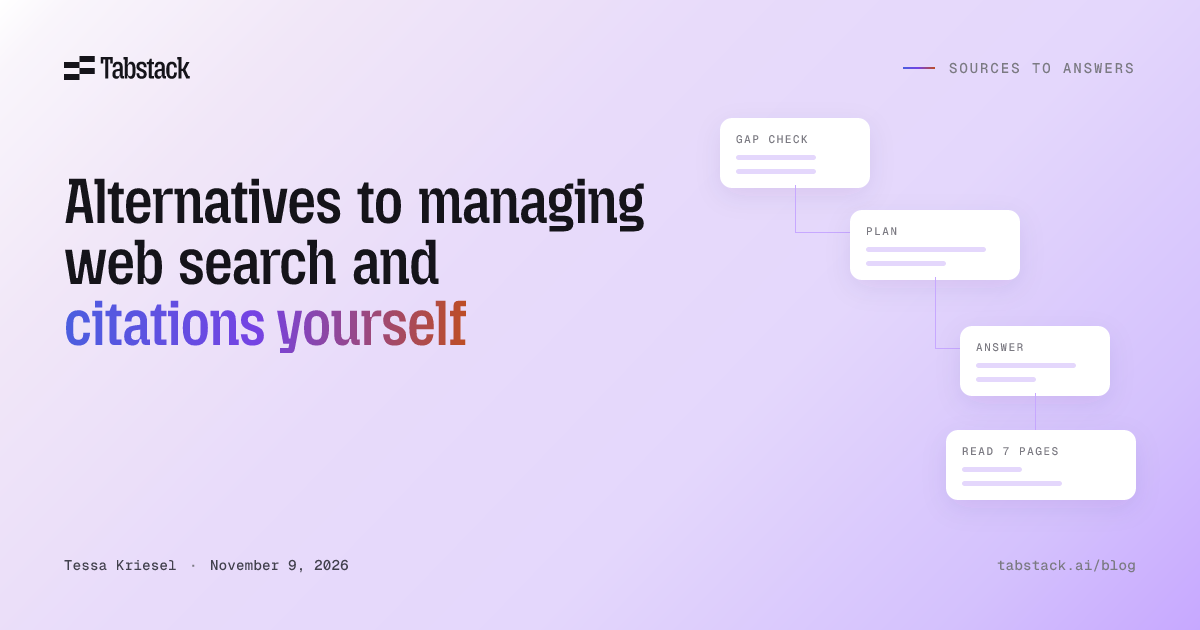
If your application needs current answers with sources, you have two hosted alternatives to running the search, fetch, and citation loop yourself. A search API returns ranked sources and leaves answer-building to your code. A research API, such as Tabstack Research, takes a question and returns a finished answer with the pages it cited. Choose by what your application must receive, then by where the data goes.
What you maintain when you run the loop yourself
A self-managed loop is a search call, a fetch per candidate page, content cleaning, a relevance pass, synthesis, and citation assembly, plus the code that decides when to stop. Each stage has its own failure mode. The decision guide covers when that ownership is worth it; this section lists what it costs.
- Query planning. One question usually needs several searches. Your code decides which, and when a second round is needed.
- Fetching. JavaScript-rendered pages need a browser. PDFs need a parser. Blocked or slow pages need retries and timeouts.
- Cleaning. Navigation, cookie banners, and boilerplate inflate the context your model reads.
- Context budget. Ten full pages do not fit in one prompt. Something selects passages.
- Gap checking. The first results often cover part of the question. Something has to notice and search again.
- Citation assembly. Each claim in the answer has to map back to the page that supports it, and the map has to survive editing.
- Evaluation and upkeep. Pages change, providers change limits, and models change behavior. The loop needs tests that catch a quiet regression.
Build this when control over source selection, evidence handling, or synthesis is part of your product. Otherwise, one of the alternatives below removes most of that list.
Alternative 1: search APIs that return sources
A search API returns candidates. Your application still reads them, builds the answer, and attaches citations. These are common choices, with what each returns according to its own documentation.
- Perplexity Search API returns ranked web results as JSON: title, URL, date, and page text extracted into a snippet. No model runs and no answer is generated; Perplexity bills per request.
- Tavily Search returns ranked results with content snippets per source. The
search_depthsetting trades latency for relevance, andchunks_per_sourcesets how many snippets come back per page. - Exa takes a natural-language query and returns ranked results with full page text or highlights selected for the query.
- Brave Search API answers from Brave’s own index. Its LLM Context endpoint returns extracted passages from the top pages in one call, each source with a URL and timestamp.
- Firecrawl Search returns titles, descriptions, and URLs, and adds full-page Markdown for each result when you pass
scrapeOptions.
Several of these also offer an answer option on top of search: Tavily’s include_answer, Brave’s Answers, and Exa’s deep search and outputSchema. Check each one’s docs for how its answer is cited.
Pick a search API when your feature displays links, when your downstream pipeline already builds answers well, or when your model’s reasoning over raw sources is the product. You keep the synthesis and citation work; you drop the search index and most of the fetching.
Alternative 2: research APIs that return a cited answer
A research API performs the loop inside the service and returns the answer. Your model reads the result as an input to its next step instead of operating the search.
- Tabstack Research takes a question and returns a synthesized Markdown report plus the sources it cited, on the
completeevent of a stream. Query planning, source discovery, fetching and reading, gap evaluation, follow-up queries, synthesis, and citation assembly run inside the call. In balanced mode each cited source also carries the claims it supports. It is a standalone API, so it works with any model: open-weight, self-hosted, or hosted behind your own application layer. - OpenAI web search is a tool in the Responses API. An OpenAI model searches during generation and returns answer text with
url_citationannotations. - Perplexity Agent API returns a finished answer with citations from a hosted model in Perplexity’s catalog that searches, reasons, and uses tools for you.
- Grounding with Google Search is a tool for Gemini models. Gemini searches during generation and returns its answer with citation metadata that maps spans of text to sources.
The distinction inside this group is which model writes the answer. With OpenAI web search and Google Search grounding, the vendor’s model searches and writes the answer as part of its own generation. Tabstack Research and the Perplexity Agent API return a cited answer as data, which your own model can read as input to its next step.
Comparison
| Service | What you get back | Who builds the answer |
|---|---|---|
| Perplexity Search API | Ranked results: title, URL, date, snippet | Your application |
| Tavily Search | Ranked results with content snippets | Your application |
| Exa | Ranked results with page text or highlights | Your application |
| Brave Search API | Ranked results, or passages with URL and timestamp | Your application |
| Firecrawl Search | Results with optional full-page Markdown | Your application |
| Tabstack Research | Markdown report with cited pages | Tabstack, returned as data |
| Perplexity Agent API | Finished answer with citations | A hosted model in Perplexity’s catalog, returned as data |
| OpenAI web search | Answer text with URL citations | An OpenAI model, during its generation |
| Google Search grounding | Gemini answer with citation metadata | A Gemini model, during its generation |
The table records what each service returns and who does the work. It does not establish which one answers better, faster, or cheaper on your questions. Run your own questions through the candidates and include failed and incomplete runs in the comparison.
Check the processing boundary
Running your own model does not make a web service local. Every alternative above sends your query, and the content it reads, through that provider’s infrastructure. Before testing answer quality, read each provider’s data handling terms and eliminate any whose path your workload cannot accept.
Tabstack is never trained on, private by default, and built by Mozilla. Your requests and the content Tabstack processes are not used to train models. Payloads (the query, response data, and extracted output) are visible to no one at Tabstack unless your organization opts into detailed data collection. Request metadata (endpoint, success or failure, credits, timestamps, organization and key) is always recorded. For Research, the question and the web content it reads go to a contracted model provider to produce the report. The Data Handling documentation describes the full path.
How to choose
- Write down the output your feature promises: links, page content, or an answer with citations.
- If it is links or content, pick a search API and keep your answer-building code. If you already have the URL, use Extract for Markdown or schema-matched JSON.
- If it is a cited answer and your application already runs on an OpenAI or Gemini model, their built-in search tools are the shortest path.
- If it is a cited answer and you run your own model, or you want the research step separable from generation, use a research API that returns the answer as data. Tabstack Research is built for that case.
- Confirm the processing boundary for whichever you choose, then test on your questions.
Try one call
Tabstack Research runs from one request. Every new account includes 10,000 free credits with no card required; a Fast Research action costs 250 credits, so that is 40 Fast actions to evaluate with. See pricing for Balanced mode and plan limits.
import Tabstack from '@tabstack/sdk'

const client = new Tabstack()

const stream = await client.agent.research({
  query: 'What are the main approaches to browser automation for AI agents?',
  mode: 'fast',
})

for await (const event of stream) {
  if (event.event === 'complete') {
    console.log(event.data.report)
    console.log(`actions billed: ${event.data.usage?.actions ?? 'n/a'}`)
    const cited = event.data.metadata.citedPages ?? []
    for (const page of cited) {
      console.log(`- ${page.title ?? '(untitled)'}: ${page.url}`)
    }
  }
  if (event.event === 'error') {
    throw new Error(event.data.error.message)
  }
}
The report arrives on the complete event with citedPages alongside it, and usage.actions reports how many actions the call was billed for. Handle error explicitly; it arrives inside the stream, not as an HTTP error. Then check the answer against the question using the citation review method.
Common questions
What is the difference between a search API and a research API? A search API returns candidate sources (URLs, snippets, sometimes page content) and leaves the answer to your code. A research API takes a question, finds and reads sources, and returns a finished answer with the pages it cited.
Can I use a research API with an open-weight or self-hosted model? Yes, when the research API returns its answer as data rather than running inside a vendor’s model. Tabstack Research returns a Markdown report and citation metadata that any model can read as input. OpenAI web search and Google Search grounding run inside those vendors’ models.
Does a hosted research API keep my queries? It depends on the provider. Tabstack is private by default: payloads are visible to no one at Tabstack unless your organization opts into detailed data collection, and request metadata is always recorded. Read each provider’s data handling terms before sending sensitive inputs.
How do I check whether the citations actually support the answer? Open each cited page and find the passage that supports the claim beside it, then check the passage’s scope and date. The citation review method gives a per-claim record for this.
What does one Tabstack Research call cost?
Research bills one action per search iteration. A Fast action is 250 credits and a Balanced action is 350; the complete event reports how many ran. New accounts include 10,000 free credits.